AI Video Editor, Reels: inMelo
- 4.9
- Rating
- 10.00M
- Installs
- Free
- Price

 Analysis by App-foxy
I like video editors that let me make something presentable without turning a quick social post into a full production job. AI Video Editor, Reels: inMelo is built around that idea: combine photos, video clips, music, effects, and ready-made templates in one mobile workspace. After spending time with it, I see it as a practical choice for people who want attractive short videos quickly, especially when starting from a group of photos rather than a carefully filmed project.
It is a free app in the video players and editors category, developed by Music Video Editor with Effects & Slideshow. Its store summary focuses on photo-and-music editing and templates, which matches the overall experience: the app encourages a guided, visual workflow instead of asking you to build every transition and timing decision manually. That makes it approachable, but it also means users looking for deep, frame-by-frame control may eventually feel restricted.
What the editing experience feels like in everyday use
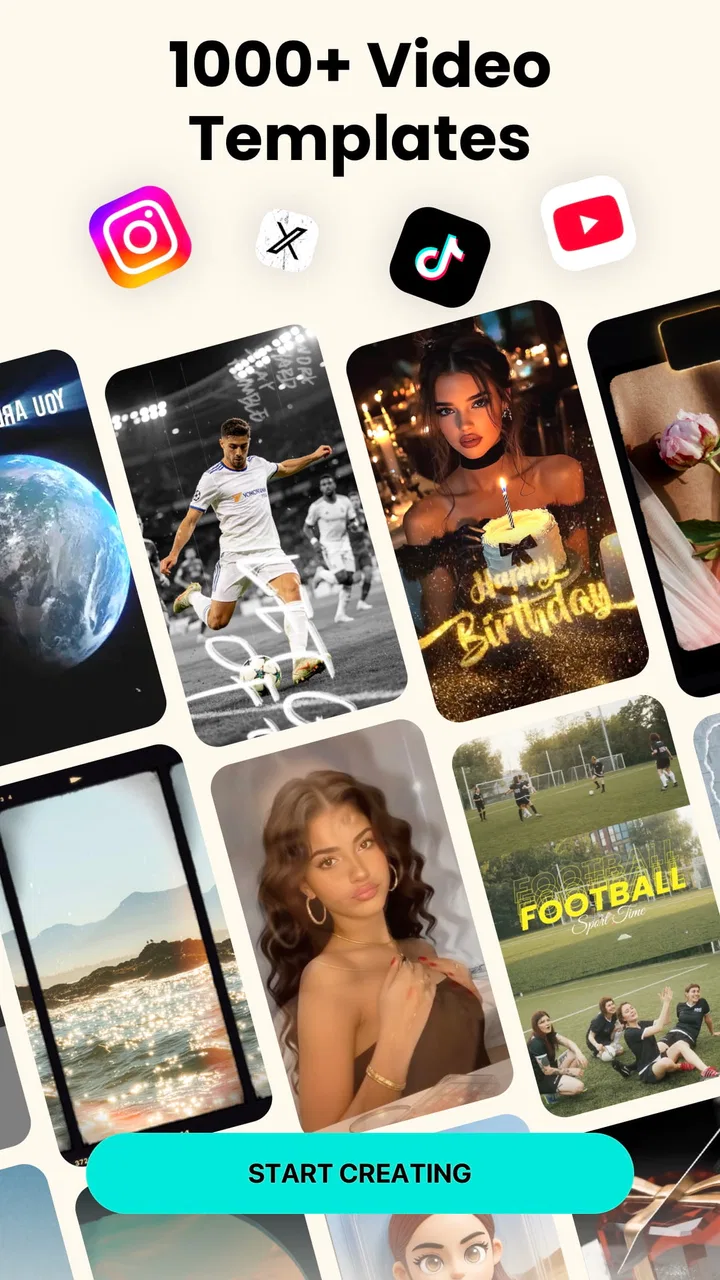
The easiest way to understand inMelo is to imagine a normal situation. I have a handful of travel photos, a short clip from a birthday, or several vertical videos from a weekend, and I want to turn them into something I can share without opening a desktop editor. The template-led approach helps me get from a messy camera roll to a finished sequence with less effort than a traditional timeline editor.
You May Also Like

 Blood Strike: 2.5 Anniversary
Blood Strike’s Loadouts Turn Every Drop Into a Tactical Gamble
A close look at Blood Strike’s custom loadouts: how fast access to signature weapons reshapes its battle royale rhythm, rewards preparation, and narrows the gap between fights.

 Pandora - Music & Podcasts
Pandora’s Music Is Easy to Start, but Harder to Recover
Pandora’s strength is its low-effort path from a seed to a station. Its weak spot is how much confidence it asks you to place in connection, setup, and quiet recovery.

 8 Ball Pool
 Is Built on Rivalries, Rematches, and Routine
A close look at the rivalries, rematches, shared routines, and unanswered safety questions that turn a quick pool match into a persistent mobile community.

 Samsung Music
’s Quiet Strength Is Playing What You Already Own
Its reach comes less from spectacle than from dependable access to a personal library. That simplicity is both the app’s strongest retention engine and its ceiling.

 AccuWeather: Weather Radar
AccuWeather Review: A Quick, Clear Forecast for Everyday Decisions
For everyday plans, the best forecast is the one you can understand quickly. AccuWeather makes rain timing, radar, and local conditions easy to act on, with a few trade-offs.

 Hill Climb Racing
Why Hill Climb Racing Still Turns Crashes Into One More Run
A tiny car, a bumpy hill and one more upgrade: Hill Climb Racing keeps resurfacing because its simple chaos makes every near-miss feel personal.
More From Our News Desk



Instead of beginning with a blank project and choosing every visual treatment, I can start from a style that already suggests a rhythm. I then select the media, arrange the material, and adjust the result where necessary. This is useful when the main challenge is not creativity but decision fatigue. A template gives the project a direction, while the photos and clips provide the personal content.
The app is particularly comfortable for short-form vertical videos. That is where quick transitions, music-led timing, and visual effects make sense. I would use it for a birthday montage, a small product showcase, a before-and-after sequence, a vacation recap, or a simple reel made from still images. It is less convincing as my first choice for a long family film, a documentary-style edit, or anything that depends on precise dialogue and complex storytelling.
One useful habit is to prepare the media before opening the editor. I select the strongest images first and remove near-duplicates, blurry shots, and clips with distracting backgrounds. Template-based editing works best when the source material is already curated. If I feed it every photo from an event, the final video can feel busy even when the effects look polished.
The photo-and-music focus also changes how I think about pacing. A still image needs enough time to be understood, while a fast clip can become tiring if it is repeated or cut too aggressively. I prefer mixing a few longer-held photos with short motion clips rather than letting every item receive identical treatment. This small adjustment makes the result feel more personal and less like an automatic slideshow.
Templates are convenient, but they also set the creative limits
The strongest part of the app is the shortcut from raw media to a coherent visual style. For a first-time editor, that shortcut removes much of the intimidating work. I do not need to understand every transition type before making a usable video, and I can experiment with different moods without rebuilding the project from scratch each time.
The trade-off is that templates can encourage sameness. If I choose one because its preview looks energetic, the finished video may inherit a rhythm that does not suit every photo. A quiet set of landscape images can look awkward inside a template designed for rapid cuts. I recommend treating templates as starting points rather than final answers: preview the whole sequence, remove anything that feels out of place, and check whether the music supports the material instead of overpowering it.
A practical workflow is to make a rough version first, then watch it without touching the controls. I pay attention to three things: whether the opening image explains what the video is about, whether the middle becomes repetitive, and whether the ending feels intentional. This is more valuable than adding another effect. A simple sequence with good selection usually feels more finished than a crowded one.
For users who want to post regularly, templates can also reduce the time needed to maintain a consistent visual habit. I can use a similar structure for weekly updates while changing the photos, text, or music. That is helpful for a small personal project or a casual social account. However, anyone building a carefully branded channel may want an editor with more dependable control over reusable layouts, typography, and exact export settings.
Music, effects, and the details that affect the final result
Music is not just decoration in this kind of editor; it determines how the entire sequence feels. I try to choose the track before making small timing decisions, because changing the music late can make the cuts feel wrong. When a template is synchronized to a particular rhythm, replacing the audio may require another review of the transitions and image order.
I also avoid stacking effects simply because they are available. One visual treatment can give a slideshow a clear identity, while several competing treatments make faces, text, and important details harder to see. The most useful effect is often the one that supports the subject without becoming the subject itself.
There is another small but important consideration: music rights. I would not assume that every track presented inside any editing app is automatically suitable for every public or commercial use. For a private message or personal post, the practical concern may be minor, but a business account or monetized channel should check the applicable usage terms before publishing. That is a sensible precaution rather than a criticism of this particular editor.
Text deserves the same care. A template may place titles attractively, but a phrase that looks fine in a preview can become difficult to read over a bright photo or a fast-moving clip. I keep captions short, test them against the actual background, and avoid placing essential information too near the edges of a vertical frame. These choices make a bigger difference than adding more decoration.
Where it is easier than traditional editors, and where it is not
Compared with a conventional timeline editor, inMelo feels faster when I already know the general mood I want. I can reach a finished-looking montage without learning layers, keyframes, or detailed audio mixing. That makes it a good fit for casual creators, families, students, and anyone who values speed over technical control.
A timeline editor is usually better when I need exact clip trimming, carefully timed dialogue, multiple audio tracks, detailed color correction, or a precise order of operations. If a speaker must remain on screen while background music lowers at specific moments, I would prefer a tool designed around manual control. The same applies to longer videos where a template can become repetitive or visually restrictive.
Compared with a basic slideshow maker, this app offers a more energetic route to short-form content through effects, music, and templates. Compared with a professional mobile editor, it is more welcoming but less suitable for complex projects. That middle position is important: it is not trying to replace every editing tool, and I would not choose it for a job that depends on a detailed production timeline.
Trust, controls, and moments that deserve attention
Trust matters more to me with a photo editor than with many other casual apps because the material may include faces, private events, children, locations, or personal conversations. I judge an app like this not only by how attractive the export looks, but also by how clearly it lets me decide what to import, what to edit, and what to share. With inMelo, I would approach those choices deliberately rather than giving the app my entire library without thinking.
The safest starting point is to select only the photos and clips needed for the current project. A smaller selection is easier to review and reduces the chance of accidentally including something unrelated. I also check the chosen media before finalizing the video, especially when using automatic or template-guided arrangements. A quick review can catch a private screenshot, an unwanted face in the background, or a clip that reveals more location information than intended.
Permission prompts deserve the same attention. I grant access in the narrowest way that still allows me to complete the task, when the operating system offers that choice, and I revisit access later if I no longer use the app. I do not treat a request as automatically suspicious, but I also do not approve broad access on autopilot. The right decision depends on the project and on the controls shown on the device at that moment.
Data-sensitive moments often arrive when I move from editing to sharing. A private montage and a public reel are not the same thing. Before posting, I check faces, visible addresses, school uniforms, vehicle plates, notifications, and any text captured in the background. The editor can help assemble the video, but I remain responsible for deciding whether each frame is appropriate for the intended audience.
I also keep copies of important original files outside the editing project. That is useful for ordinary technical reasons: an edit may be changed, a draft may be deleted, or I may later want to reuse an unedited clip. It is also part of maintaining control over personal media. I prefer to think of the project as a working copy, not as the only place where a memory exists.
The free price makes trying the app easy, but in-app purchases range from under a dollar to amounts above one hundred dollars per item. That wide range is a reason to inspect any purchase screen carefully before confirming. I would check what a particular item unlocks, whether it is a one-time purchase or part of another arrangement, and whether the result is genuinely useful for my project. The app can be explored without paying, but “free” should not mean tapping through purchase prompts without reading them.
The Teen content rating is another small signal about the intended audience. I would still review the actual media, music, and sharing destination when a younger person is using the editor. A rating does not replace supervision, privacy conversations, or checking what will be published. For family use, I would help a child choose media and review the final export together.
Keeping control over a project from import to export
I find the most reliable approach is a simple three-stage check. First, I decide which files belong in the project. Second, I watch the complete draft with sound, because music can hide abrupt cuts or make a caption disappear too quickly. Third, I inspect the finished file in the same orientation in which people will view it. A video that looks fine inside an editor can feel cramped or unreadable when watched on a phone.
I would also avoid assuming that every template behaves identically with every type of media. Portrait photos, landscape photos, screenshots, and short clips have different shapes and visual weight. If a template crops important content, I either adjust the source image, replace that slot, or choose another style. This is one of the main places where user judgment matters more than automation.
For sensitive projects, I keep the audience narrow and share the exported file through a destination I understand. I do not include private details merely because the template leaves room for them. A date, street sign, school name, or notification can reveal more than intended. The editing process is quick, but the consequences of sharing can last much longer.
The developer name, Music Video Editor with Effects & Slideshow, clearly describes the app’s focus, and the product has attracted a substantial audience: it has a 4.8 average from around 142 thousand ratings and more than 10 million installs. Those figures suggest that the basic concept works for many people, but popularity is not a substitute for reading screens carefully or deciding whether the workflow suits my own needs.
On Android, the app supports devices running version 8.0 or later. The current version is 1.448.150, so I would keep the app and operating system reasonably current before starting an important project. Updates can affect layout and editing behavior, which is another reason to export a finished video rather than leaving the only copy inside a draft.
Who should use it, and who should choose something else
I would recommend inMelo to someone who wants a quick photo montage, a stylish reel, or a music-led social video without studying a professional editor. It is especially suitable when the source material is already selected and the main goal is to create something shareable in a short session. Beginners are likely to appreciate the guided structure more than experienced editors do.
I would be more cautious about recommending it to a creator who needs exact control over every cut, a business that depends on repeatable brand layouts, or anyone producing long videos with detailed narration. In those cases, a manual timeline editor may save time overall because it avoids fighting against template timing. I would also skip it for projects where privacy review, multi-track sound work, or precise caption placement is central to the job.
My practical verdict is positive but specific: this is a convenient creative shortcut, not a universal editing workstation. The best results come when I choose the media carefully, treat templates as flexible starting points, review music and text, and inspect the final video before sharing. If that balance between speed and control matches what you need, the free entry point makes it worth trying. If your priority is complete technical control or a tightly managed professional workflow, another editor will likely be the better long-term choice.
After using it, I would keep it available for quick, good-looking social edits rather than making it my only video tool. Its real strength is helping an ordinary collection of photos and clips become a coherent short video with relatively little friction. Its real limitation is the same feature: the more the app guides the creative decisions, the less freedom I have when the project needs something unusually precise.
FAQs for AI Video Editor, Reels: inMelo
01What features does AI Video Editor, Reels: inMelo offer?
AI Video Editor, Reels: inMelo provides a range of features including automated video editing, a wide variety of templates, and AI-driven enhancements. Users can add music, text, and special effects to their videos with ease. The app is designed to streamline the editing process, making it ideal for both beginners and experienced editors.
02Is AI Video Editor, Reels: inMelo suitable for beginners?
Yes, AI Video Editor, Reels: inMelo is very user-friendly, making it perfect for beginners. It offers step-by-step guidance and intuitive tools that simplify the editing process. The AI-driven features allow users to create professional-looking videos without needing extensive editing skills.
03Does AI Video Editor, Reels: inMelo support multiple video formats?
Yes, AI Video Editor, Reels: inMelo supports a variety of video formats. This flexibility ensures that users can import and export videos in formats that are compatible with most devices and platforms. The app is designed to handle popular formats, making it convenient for different editing needs.
04Is there a cost associated with using AI Video Editor, Reels: inMelo?
AI Video Editor, Reels: inMelo offers both free and premium versions. The free version includes basic editing tools and features, while the premium version unlocks advanced capabilities, additional templates, and effects. Users can choose the version that best fits their needs and budget.
05How secure is my data when using AI Video Editor, Reels: inMelo?
AI Video Editor, Reels: inMelo prioritizes user privacy and data security. The app uses encryption to protect your content during uploads and downloads. Additionally, the company adheres to strict privacy policies to ensure that your personal information is kept confidential and secure.
Pros
- User-friendly interface for beginners.
- Wide variety of templates available.
- Fast rendering and export speeds.
- No watermark on exported videos.
- Supports multiple video formats.
Cons
- Limited advanced editing tools.
- In-app purchases can add up.
- Occasional ads interrupt workflow.
- Requires internet for some features.
- Some features locked behind paywall.

AI Video Editor, Reels: inMelo
Gallery